


AntiVirus Toolkit
4.59.02K Reviews
App Specs
- Version
- 1.119
- Updated On
- License
- Free
- Downloads
- 10,000,000+
- Developer
- ApplineDev
- Categories
- Tools
- Platform
- Android
Screenshots
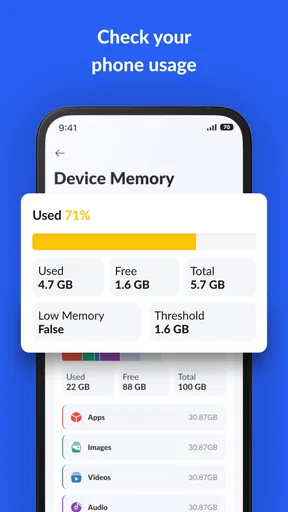
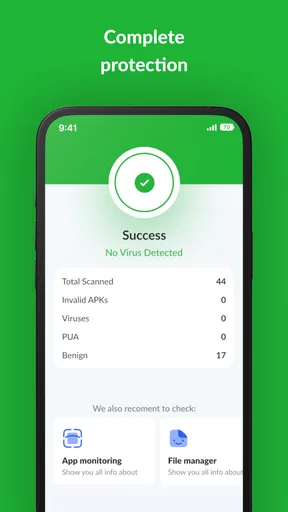
 Analysis by AppCompare
I judge a security app not only by what it promises to do, but by how easily different people can understand and use it. AntiVirus Toolkit is a free Android tools app from ApplineDev, and its appeal is straightforward: it brings several security and maintenance tasks together rather than asking you to hunt through separate utilities. That can be useful if you want a quick overview of your phone, though a toolkit is not automatically the best choice for every user or every concern.
For someone who checks their phone between errands, the practical question is whether the main actions are easy to find and the results make sense. The app’s simple dashboard and one-tap scan, as I experienced them, lower the effort involved in getting started. Still, security labels can feel abstract, so I would treat a warning as a prompt to inspect an app or setting, not as a reason to panic or delete something without understanding what it does.
Readable screens and a direct route to common tasks
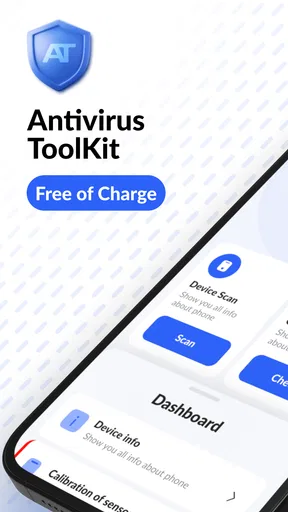
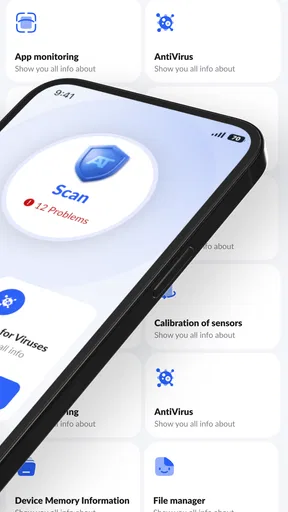
The interface is described through its uncomplicated layout: a device overview, a scan action, and separate tools for privacy and cleanup. That structure is easier to approach than a crowded screen where every setting competes for attention. The app has an average rating of 4.5 from around 88,000 ratings, and its popularity suggests many people are willing to try it; neither figure, by itself, tells me whether its warnings will suit your needs.
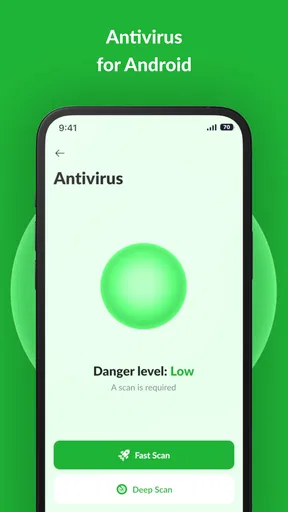
In my use, starting a scan did not require working through a complicated sequence. That matters for anyone who only wants to check a phone occasionally, or who is not comfortable navigating a maze of security menus. I would begin with the dashboard, run a scan, and then open each result before acting. This slower second step is worthwhile: a clear interface helps you find a feature, but it cannot make every security decision for you.
One useful habit is to separate a device check from a cleanup session. Scan first, read the findings, and only then decide whether to remove files or review an app’s access. Combining several changes into one hurried tap makes it harder to know what actually fixed a problem—or whether a file you still needed was removed. That small pause is especially helpful if the phone is shared or used for work.
Motor, vision, hearing, and attention in everyday use
A dashboard with a prominent action can be more manageable than a deep settings tree for someone who has difficulty with repeated precise taps. The app’s straightforward flow may also help users who prefer to focus on one task at a time. I would not assume that simplicity alone makes it suitable for every motor or visual need, though: people who rely on specific display, input, or assistive settings should check how it behaves on their own device before depending on it.
For users who are sensitive to frequent alerts, the restrained notifications I experienced are a welcome choice. They make it less likely that a security tool will become another source of interruption during a busy day. The trade-off is that quiet alerts are only helpful if you still notice important information when you open the app. I would make a deliberate check part of a routine rather than expecting a background tool to handle every decision invisibly.
Worth Reading Before You Choose

EA SPORTS FC Mobile 26 Is a Bigger Football Game, but It Takes Time

Flipboard Shows What News Apps Must Do Beyond the Feed

Switching to Android Auto Means Rethinking Your Driving Routine

Google Calendar Makes a Crowded Week Easier to Manage

Ludo King Makes the Most of the Minutes Between Plans

Baby Panda World Brings Quick Play to Modern Phones, but Its Game Library Feels Busy
Reading privacy findings also takes patience. A permission that sounds alarming may be essential to an app’s purpose, while an unfamiliar app name may belong to a service you installed intentionally. If dense wording or technical terms make that difficult, it can help to review one item at a time and ask someone you trust before changing access that affects navigation, communication, or other daily tasks.
When a toolkit fits—and when another approach is better
This kind of all-in-one tool makes the most sense for someone who wants a scan, a privacy check, and a basic cleanup option in one place. It is less compelling if you already use your phone’s built-in security and storage controls with confidence, or if you need a specialist tool with a particular feature you rely on. A focused alternative may provide a clearer workflow for one job; the toolkit’s advantage is convenience, not proof that one app can replace every layer of safe device use.
A realistic use case is a family member who has just installed several apps and wants help reviewing the phone without learning a different utility for each task. I would run the scan, look over the privacy advisor’s findings, and discuss unfamiliar access before changing anything. If storage is the concern, I would use the cleaner selectively and check what it proposes to remove. That workflow makes the app a starting point for a review rather than an automatic decision-maker.
What to check before relying on it
Before installing, check that your device meets the app’s minimum requirement of Android 8.0. It is rated for Everyone, has more than 10 million installs, and is currently at version 1.119. Those details can help you decide whether it is available for your situation, but they do not guarantee that every tool will behave the same way on every phone. The app is free, so the cost barrier is low; I would still take a moment to read setup prompts and understand what each requested permission enables before proceeding.
If you are wondering whether it replaces built-in protection, I would not treat it as a reason to ignore your operating system’s security features or careful app choices. If you are wondering whether the cleaner should be used every day, I would use it only when storage is actually a problem and review its suggestions first. And if privacy alerts appear, I would verify the app’s purpose before restricting access. These are sensible checks with any security toolkit, especially one that combines different jobs.
There is also a practical difference between a quick scan and ongoing security habits. A scan can help you review the device at a particular moment, but it cannot make risky links, reused passwords, or careless downloads harmless. I would pair the app with basic habits: install apps from sources you trust, keep the phone’s system updated, and pause before granting access that does not seem relevant. That approach avoids asking one utility to carry more responsibility than it can reasonably bear.
Getting Started with AntiVirus Toolkit
First things first, downloading and setting up the AntiVirus Toolkit was a breeze. Available for both Android and iOS, you just head to the respective app store, hit download, and you’re on your way. The interface is clean and intuitive, which is always a plus. I mean, who wants to spend ages figuring out what button does what, right?
Once you’ve got it installed, the app guides you through a quick setup process. It asks for necessary permissions, which is pretty standard for security apps. I didn’t feel it was asking for anything out of the ordinary, so no red flags there. And in no time, it was up and running, ready to scan my device for any lurking threats.
Features That Stand Out
What really sets the AntiVirus Toolkit apart is its array of features. It’s not just about scanning for viruses; this app is like a Swiss Army knife for security. You’ve got your real-time protection, which is a must-have these days. Plus, there’s a nifty feature that scans new apps as soon as they’re installed. That’s a relief because who knows what’s bundled with some of those games we can’t resist downloading!
The app also includes a privacy advisor, which I found super useful. It highlights apps that have access to sensitive permissions like your location or contacts. I had a few surprises there, realizing just how nosy some apps can be.
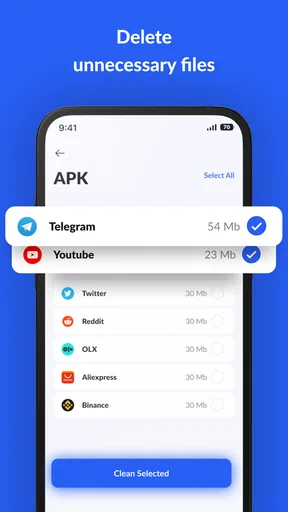
Then there’s the junk cleaner, which helps in freeing up some space by getting rid of old files and cache. It’s like spring cleaning for your device, without all the sneezing from dust. I was amazed at how much space I reclaimed!
User Experience
Let’s talk about the user experience. The app is designed with simplicity in mind. The main dashboard gives you a quick overview of your device’s health, and running a scan is just a tap away. It’s quite fast too. I ran a full scan, and it didn’t take forever like some other apps I’ve tried.
Notifications are kept to a minimum, which I really appreciate. There’s nothing worse than an app that pings you every five minutes about things you don’t care about. The AntiVirus Toolkit doesn’t nag, but it’s there when you need it.
Performance Impact
One worry I always have with antivirus apps is how they affect performance. Nobody wants a sluggish phone just because they’re trying to keep it safe. The good news is, I didn’t notice any major slowdowns with the AntiVirus Toolkit. It runs quietly in the background, doing its thing without hogging resources.
Battery life didn’t take a hit either, which is a huge relief. I’ve had apps in the past that drained my battery faster than I could charge it. Thankfully, this wasn’t the case here.
Final Thoughts
So, is the AntiVirus Toolkit worth downloading? In my opinion, absolutely. It offers a comprehensive set of features that help keep your device safe without being a nuisance. The peace of mind knowing that my personal data is secure is priceless.
If you’re looking for a solid antivirus solution that won’t bog down your device, give this app a go. It’s got everything you need to keep those digital nasties at bay, and it does so with style and efficiency. Happy downloading, and stay safe out there!
Pros
- Comprehensive virus detection features.
- User-friendly interface with easy navigation.
- Real-time protection against threats.
- Low impact on device performance.
- Regular updates to virus definitions.
Cons
- May contain ads in the free version.
- Advanced features require premium.
- Occasional false positives detected.
- Initial scans can be time-consuming.
- Limited support for older devices.
FAQs for AntiVirus Toolkit
Is AntiVirus Toolkit effective in detecting and removing viruses?
Yes, AntiVirus Toolkit is equipped with advanced scanning technology capable of detecting and removing a wide range of viruses and malware. It uses real-time scanning to monitor your device continuously, ensuring new threats are promptly identified and neutralized. Regular updates ensure the app stays ahead of emerging threats.
How does AntiVirus Toolkit impact my device's performance?
AntiVirus Toolkit is designed to run efficiently in the background, minimizing its impact on your device’s performance. With optimized resource usage, it ensures your device runs smoothly without noticeable slowdowns. Users can customize scanning schedules to further reduce potential performance impacts during active device use.
What features does AntiVirus Toolkit offer beyond virus protection?
Beyond virus protection, AntiVirus Toolkit offers several additional features, including a secure browsing tool, anti-phishing capabilities, and a privacy advisor that assesses app permissions. It also includes a device locator and anti-theft features to help protect your device in case it gets lost or stolen.
Is AntiVirus Toolkit compatible with both Android and iOS devices?
Yes, AntiVirus Toolkit is available for both Android and iOS platforms. It is optimized for each operating system, ensuring seamless integration and functionality. Users can download the respective version from Google Play Store or Apple App Store, tailored to their device’s requirements.
Does AntiVirus Toolkit offer a free trial or subscription options?
AntiVirus Toolkit offers a free trial period that allows users to explore its full range of features before committing to a subscription. After the trial, users can choose from various subscription plans, including monthly and annual options, with each providing full access to premium features and regular updates.


